SOS Key Tag with QR Code | Digital Ownership ID | DynaTag
search
  • SOS Key Tag with QR Code | Digital Ownership ID | DynaTag
  • SOS Key Tag with QR Code | Digital Ownership ID | DynaTag
  • SOS Key Tag with QR Code | Digital Ownership ID | DynaTag
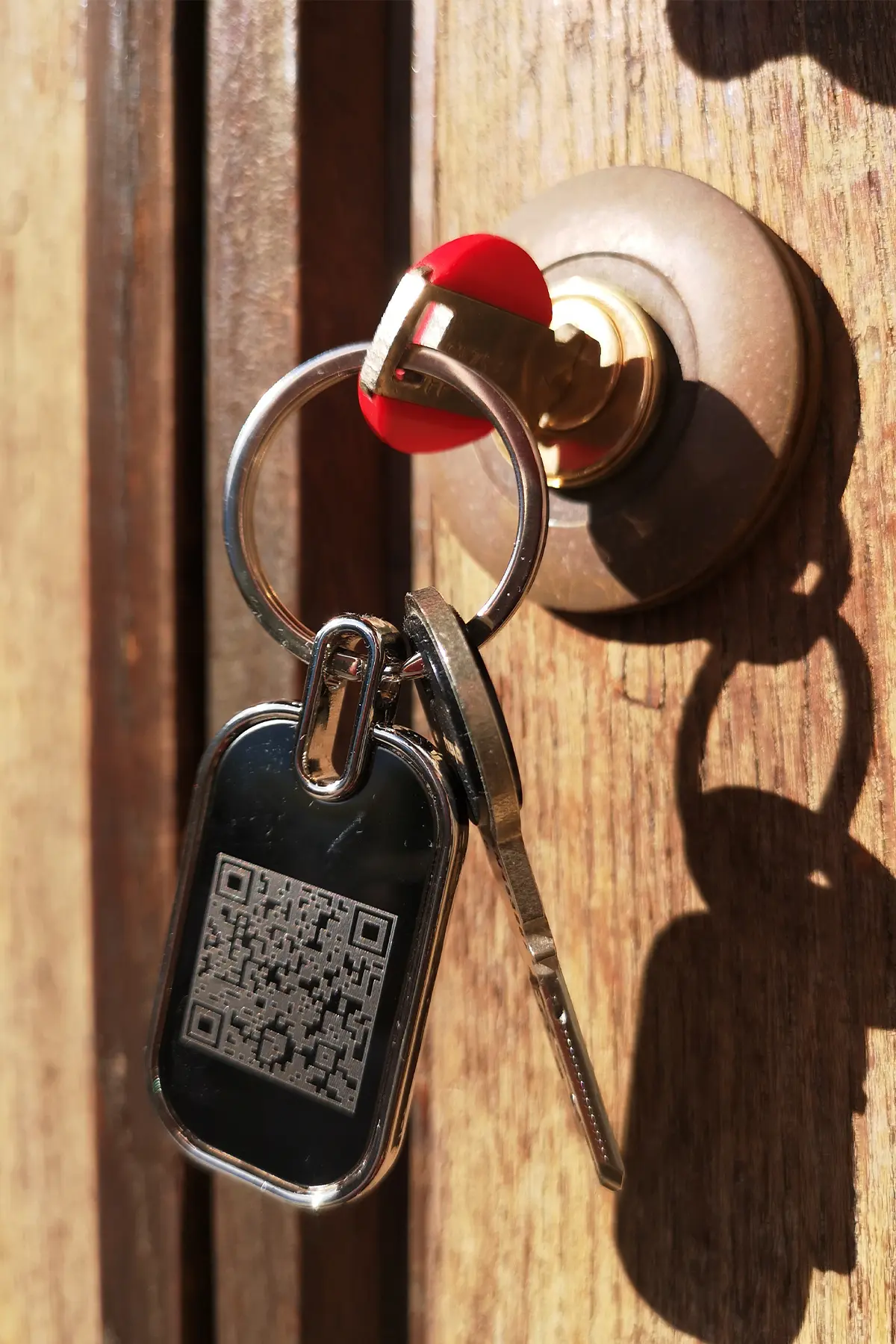
  • Schlüsselanhänger an Tür steckend
  • SOS Key Tag with QR Code | Digital Ownership ID | DynaTag

Free shipping from CHF 50.–

We cover packaging and delivery costs for orders over CHF 50.–.

Personal customer support

We answer your questions personally – no automated chatbots.

30-day return policy

You receive a 30-day return or exchange guarantee.

Swiss data platform

Your data is stored securely and reliably in Switzerland.

How it works

Ready in 3 simple steps

Choose and buy your product

Select the right product, colour and variant.

Scan and activate the QR code

After receiving it, scan the QR code and activate your digital DynaTag profile.

Manage your data in the WebApp

Configure contact and emergency data and update it anytime.

SOS Key Tag with QR Code – Digital Ownership ID with Swiss Data Platform

CHF 17.11
Free shipping from CHF 50.– Shipping from Swiss warehouse One-time payment No subscription No app required
Close
Quantity
Verfügbar

Available payment methods

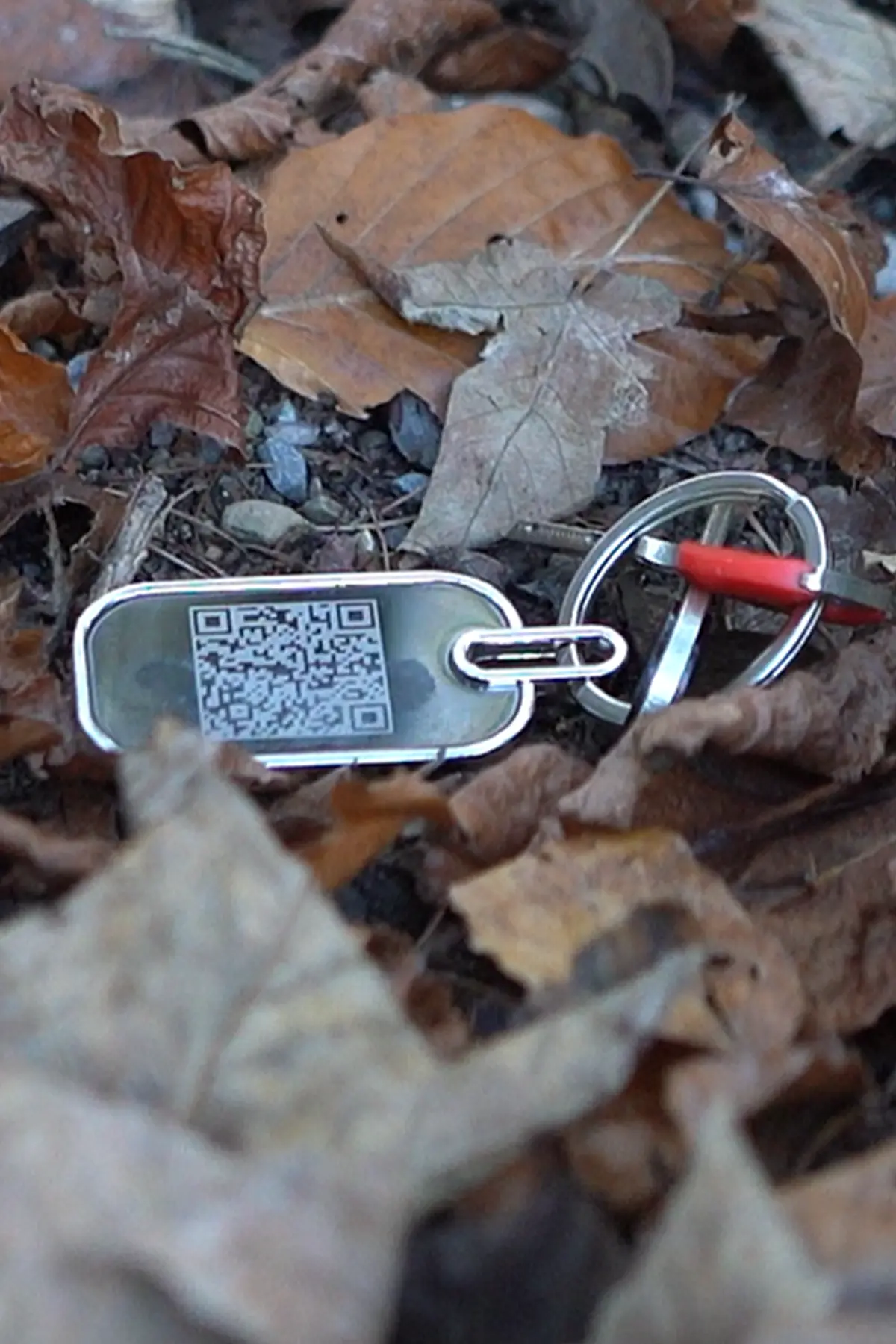
SOS key tag with QR code for the quick and secure return of lost keys and personal belongings. The personal QR code enables anonymous contact without revealing personal details. Ideal for house, car, office and apartment keys, as well as for sports bags, backpacks, suitcases, sports equipment, toolboxes, camera bags and other valuables. Simply scan the QR code, make contact and arrange the return – no app required.
Works with any smartphone.

  • QR code with digital ownership ID: Makes it easier to quickly return lost keys and personal belongings.
  • Anonymous contact: Finders can contact you without seeing your personal details.
  • Protected contact form: Messages are securely transmitted through the DynaTag web app.
  • Optional location sharing: Finders can share the location where the item was found directly with you.
  • Swiss data platform: Your key and item information is securely managed in Switzerland.
  • No app required: Works with any smartphone and has no monthly fees.
Get lost keys and belongings back faster.
The SOS key tag allows finders to contact you quickly and anonymously, helping keys, bags, sports equipment and other valuables to be returned safely.
QR Code Key Tag · Private Contact

Get lost keys back faster – without displaying contact details

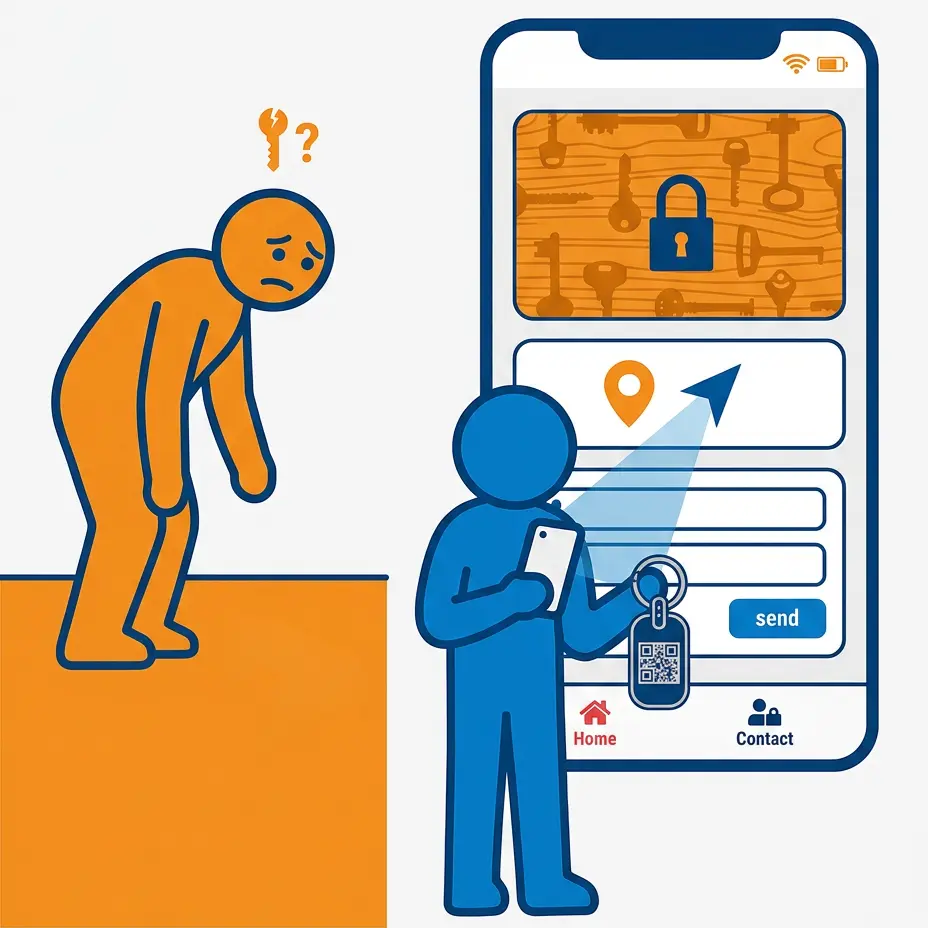
The key tag with its unique QR code allows anyone who finds your keys to contact you through a secure form. Your phone number, email address and home address remain hidden.

The finder can voluntarily provide a callback number and their current smartphone location. This makes it easy to arrange a safe return.

  • Secure contact form for finders
  • No visible owner or address details
  • Email notification for every scan
  • Voluntary location sharing by the finder
  • Personal cover photo for identification
  • No app, battery or charging
QR Code Key Tag for the private return of lost keys
Digital QR Code Key Tag with secure contact form

Private contact

Finders can send a message without seeing your personal contact details.

Scan notification

You automatically receive an email whenever the key page is opened.

Share the location voluntarily

The finder can only share their own location actively and with explicit consent.

Swiss data platform

You securely manage your information on the DynaTag platform in Switzerland.

For keys and everyday items

When is the QR Code Key Tag useful?

The private key finder is suitable for personal, family and business keys, as well as other items.

Home & Apartment

Privately identify house, apartment, cellar or letterbox keys.

Vehicles & Mobility

Make it easier to recover car, motorbike, bicycle or garage keys.

Office & Business

Digitally identify office, storage, access or company keys.

Family & Everyday Life

Identify keys belonging to children, relatives or employees, as well as bags and boxes.

QR Code Key Tag for home, vehicle, office and family keys

What can the finder do?

The digital key page allows contact without registration.

  • Send a message through the contact form
  • Voluntarily provide a name or callback number
  • Optionally leave an email address
  • Share their own location with consent
  • View the cover photo and instructions

Digital key tag comparison

DynaTag compared with a conventionally labelled tag.

FeatureDynaTag Key Tag
QR code based
Conventional Key Tag
visibly labelled
Personal contact detailsRemain hiddenUsually visible
ContactSecure online formUsing visible details
Owner privacyYesNo
Update informationOnline at any timeNew label required
Scan notificationAutomatically by emailNot possible
Finder’s locationVoluntary with consentNot possible
Cover Photo & InstructionsDigitally customisableVery limited space
App requiredNoNo
Battery requiredNoNo
Data storageSwiss data platformNo digital storage
Identify lost keysWithout a visible addressOnly with a legible label
For finders without an app or registration

Private contact directly in the browser

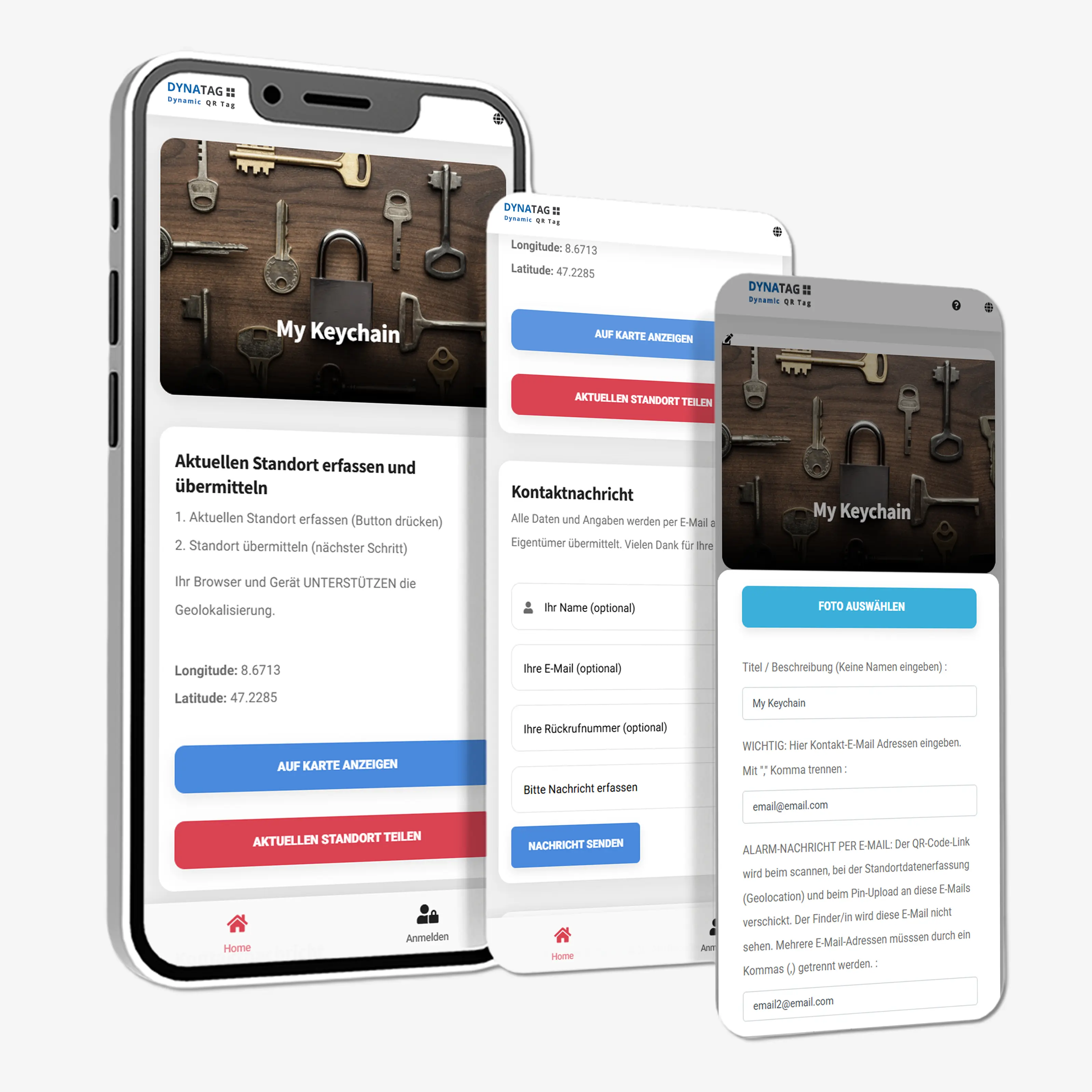
The QR code opens the personal DynaTag key page directly in the smartphone browser.

Contact form and notification

The finder can send you a message and voluntarily provide a callback number or email address. Your contact details remain hidden.

  • Secure contact form for finders
  • Your contact details are not published
  • Email notification for every scan

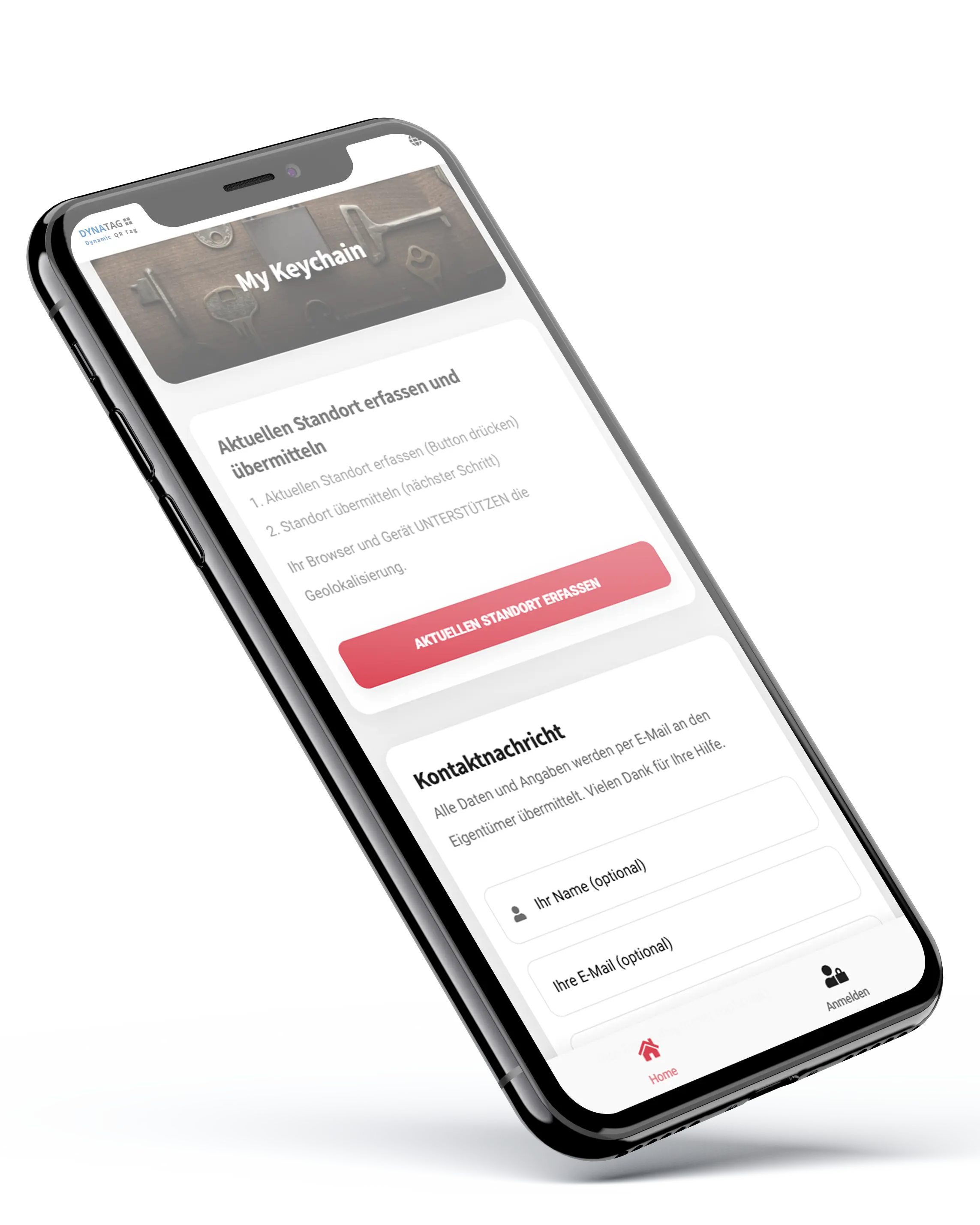
WebApp on a smartphone

DynaTag WebApp for private contact using the QR Code Key Tag

Try the QR code live

QR code for testing the DynaTag WebApp for the key tag

Digital key page

Digital key page with private contact form
Simple return process

How the return works

The finder scans the QR code and sends a message through the secure form. Your contact details remain hidden.

They can optionally leave a callback number or share their location. You can then arrange a safe handover.

  • Scan the QR code
  • Receive a scan notification
  • Send a message or callback number
  • Optionally share the location
  • Arrange a safe handover
Process for the private return of lost keys using a QR code
For everyday use on your keyring

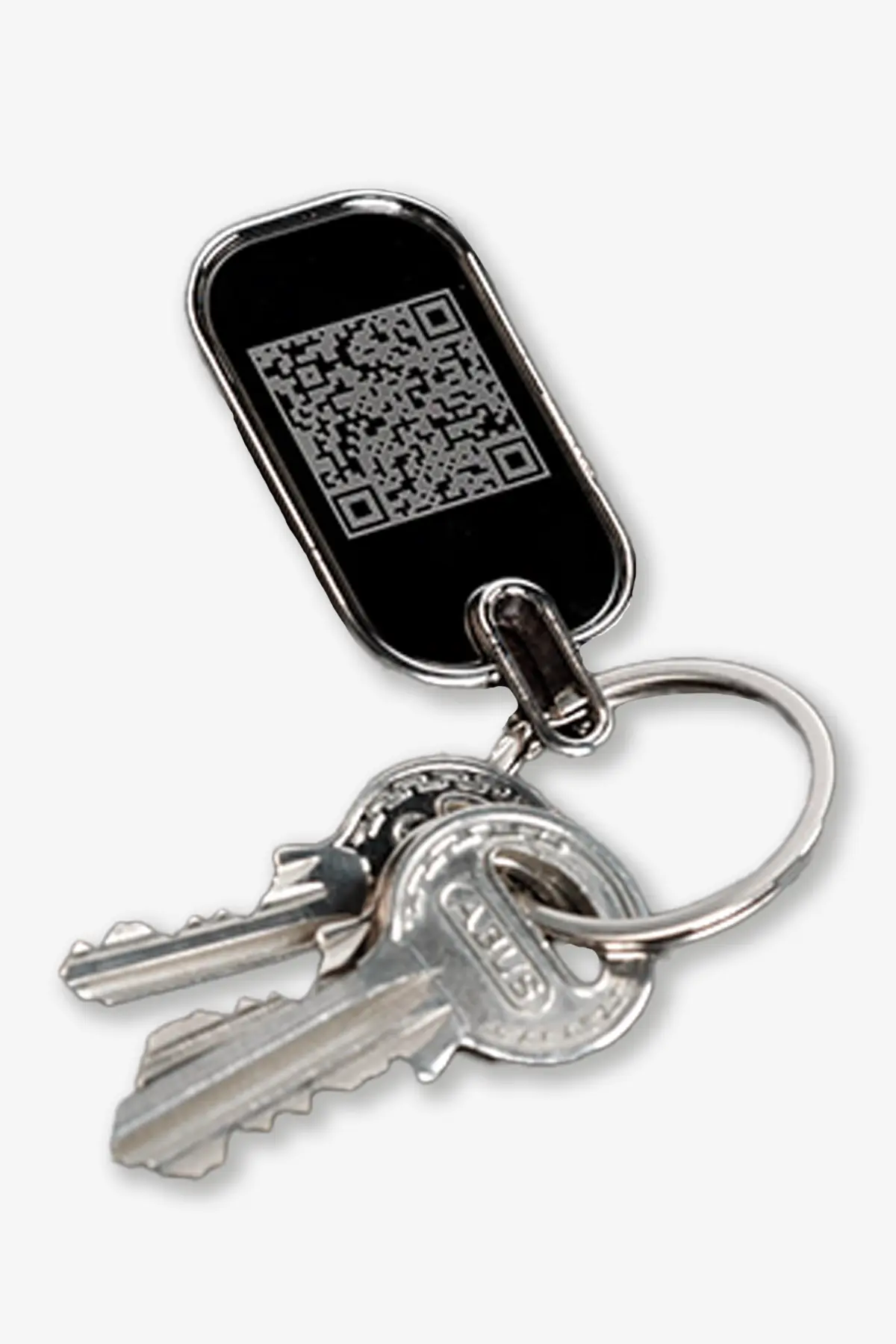
Durable key tag with metal frame

The durable material and metal frame protect the QR code in everyday use and provide a high-quality finish.

The tag contains no electronics or battery. Its digital functions work through the QR code and the DynaTag platform.

  • Durable metal frame for everyday use
  • For keyrings, bags and other items
  • QR code for private contact
  • No battery, electronics or charging
  • Information can be updated online at any time
Durable QR Code Key Tag with metal frame

Privacy on your keyring

If house keys are lost, the associated home address should not be displayed directly on the keyring.

  • No visible phone number or address
  • Email address remains hidden
  • Contact through the secure form
  • Control the shared instructions yourself
Instructions, Care and Replacement

Instructions and Help

You can open the complete online instructions directly in the DynaTag WebApp. There you will find help with activation, managing your information and using the QR Code Key Tag.

Online instructions for the QR Code Key Tag on a smartphone

Click to enlarge

Ready to use in four steps

Activate the tag, set up the key page and attach it securely to your keyring.

1. Activate the tag

Scan the QR code, open the WebApp and link the tag to your user account.

2. Set up the key page

Add a cover photo, a short note and your preferred scan notification.

3. Attach the tag

Attach the tag securely to your keyring with the QR code clearly visible.

4. Keep information up to date

Keep your email address, instructions and cover photo up to date, and check the QR code.

Optional Quick Access

Save the WebApp to your home screen

This lets you access your user account directly later without scanning the QR code again.

Android

Open the WebApp in your browser, open the browser menu and select “Add to Home screen”.

Secure on your keyring

Attach with the QR code clearly visible

Attach the tag so the QR code can be quickly recognised and scanned if the keys are lost.

  • Do not cover the QR code
  • Attach the tag securely to the keyring
  • Keep the cover photo and instructions up to date
  • Check regularly that the QR code is legible
Note: Especially for house keys, do not display a home address, phone number or email address on the tag. Contact is made securely through the WebApp.
QR Code Key Tag attached securely and visibly to a keyring
Legible for longer

Cleaning and Care

Clean the tag when necessary with a soft, slightly damp cloth. Protect the QR code in particular from heavy abrasion and scratches.

  • Do not use harsh cleaning agents or solvents
  • Avoid heavy impacts and abrasion
  • Do not wash in a washing machine
  • Keep the QR code clean and legible
Cleaning and care of the QR Code Key Tag
Your data is retained

Replacement if lost or damaged

If the tag is lost or damaged, or the QR code is no longer reliably legible, our customer service team will help you find the right replacement solution.

Request a replacement product

Tell customer service whether the tag has been lost or damaged, or the QR code has become illegible. We will explain the next steps.

Videos

The QR Code Key Tag in the Video

Anonymous contact, scan notification and voluntary location sharing explained concisely.

Key Tag with QR Code

An overview of the most important functions and the use of the digital key finder with a secure contact form.

Frequently Asked Questions

FAQ about the QR Code Key Tag

Answers about anonymous contact, scan notifications, the location function, data security and use.

How does the QR Code Key Tag work?

The tag has a unique QR code. Finders scan it with a smartphone and open a digital key page with a secure contact form.

Using the form, the finder can send you a message and voluntarily leave a callback number or email address. Your own contact details remain hidden.

What information can the finder see?

The finder sees only the instructions and the cover photo that you have shared for the digital key page.

  • Your home address is not displayed
  • Your phone number remains hidden
  • Your email address is not visible
  • The finder can only write using the contact form
  • You can change shared instructions at any time
Does the finder need an app or a user account?

No. The QR code is scanned with the standard smartphone camera and the digital key page opens directly in the browser.

The finder does not need an app, registration or login. Only an active internet connection is required for access.

How am I notified about a scan or a message?

When the digital key page is opened, the DynaTag platform automatically sends a scan notification to your saved email address.

If the finder also submits the contact form, you receive their message and the contact details they voluntarily provided. A scan alone does not yet confirm that the key has actually been found.

Can the finder share their location?

Yes. The finder can voluntarily share only their own current smartphone location.

Location sharing occurs only if the finder actively selects the function and gives explicit consent. You can then open the shared location in Google Maps.

Is the key tag a GPS tracker?

No. The key tag is not a GPS tracker. It contains neither GPS nor a battery and does not continuously record the location of the keys or the owner.

The digital function only becomes active when someone intentionally scans the QR code. A location can only be provided by the finder and with their explicit consent.

Can I change my information later?

Yes. Through your personal user account, you can update your saved email address, cover photo, instructions and other settings at any time.

After saving, the changes are available directly on the digital key page. You can edit them using a smartphone, tablet or computer.

How is my personal data protected?

Your personal contact details are not displayed directly to the finder. Contact is made through the secure form in the DynaTag WebApp.

The data is stored on the Swiss DynaTag platform. It is neither sold nor analysed for advertising purposes. You control which instructions are publicly visible.

Is there a subscription or are there ongoing costs?

No. The purchase price includes 5 years of use of the DynaTag platform. There are no monthly fees and no mandatory subscription.

After the included usage period expires, access can be extended if required for a one-time extension fee.

What happens if the tag is lost or damaged?

Your information is not stored on the tag, but remains on the Swiss DynaTag platform.

On request, a replacement product can be linked to the same digital key page. Your data does not need to be entered again.

Shipping and delivery

Fast shipping with Swiss Post

We dispatch your order directly from Switzerland. The available shipping methods and costs are displayed automatically at checkout.

Switzerland and Liechtenstein

Shipping by A Mail or B Mail. We offer free delivery on orders of CHF 50.– or more.

Processing time

In-stock items are usually processed within 1–2 working days after payment is received.

International shipping

For deliveries abroad, the recipient is responsible for any customs duties, VAT and handling fees.

Shipping costs

The appropriate shipping method can be selected during checkout.

B Mail Economy

CHF 2.50
for orders under CHF 50.–

A Mail Premium

CHF 9.–
for orders under CHF 50.–

Processing and delivery

In-stock items

Orders are normally processed within 1–2 working days. Whenever possible, paid orders received before 12:00 noon are processed on the same working day. Estimated delivery takes 2–5 working days.

Unavailable products

Unavailable products are reordered after we receive your order. Delivery usually takes place within 30 days.

Shipment tracking

For A Mail Plus shipments, you will receive a tracking number for the Swiss Post tracking portal with your shipping confirmation.

Address and transport damage

Please check your delivery address carefully at checkout. Address changes are only possible before processing. Please report visible transport damage immediately and contact us within 48 hours with photos.

Customer service

Questions about delivery?

Our customer service team will be happy to help with any questions about shipping, delivery times or your order.

Personal customer service

We are here to help you quickly and personally

Whether it is an order, QR code, WebApp, replacement card or return – our customer service team supports you directly from Switzerland.

Personal support

We answer your questions reliably and individually – without an anonymous call centre.

Help with the QR code and WebApp

We support you with activation, login, data management and technical questions.

Returns and replacement solutions

For returns, loss or damage, we explain the appropriate next steps.

Direct contact

Contact us

Choose the contact method that is easiest for you.

Addresses and opening hours

Correspondence address

DynaTag AG
c/o Domizilagentur GmbH
Badenerstrasse 580
8048 Zurich ZH
Switzerland

Returns address

DynaTag AG
Attn. Beerli
Chilerai 42a
8602 Wangen b. Dübendorf
Switzerland

Contact form

Would you like to write to us directly?

Use our contact form for questions about orders, delivery, the QR code or WebApp.

Customer Reviews

Comments (0)

Product Details

Brand: DynaTag
Reference: TPMA-0007A1
Category: Smart ID Tags

Technical data

EAN / GTIN
4270000462467
Material
Metall / Plastic
NFC Chip
No
Storage Capacity
10MB
Storage Duration
5 Years
WebApp Typ
soskeychain
Item Number
TPMA-0007A1
EAN Code
4270000462467